
Getting started
- Open TriLex. The first time, it opens on Hebrew with lexical form lookup. After that, it opens on whatever you used last.
- At the bottom, above the keyboard, choose Hebrew, Aramaic or Greek.
- At the top, choose Lexical Form Lookup (the dictionary form) or Inflected Form Lookup (the form as printed in the text).
- Tap letters on the on-screen keyboard. The results fill in and narrow as you type.
- Tap any result to open its word card.
The main screen
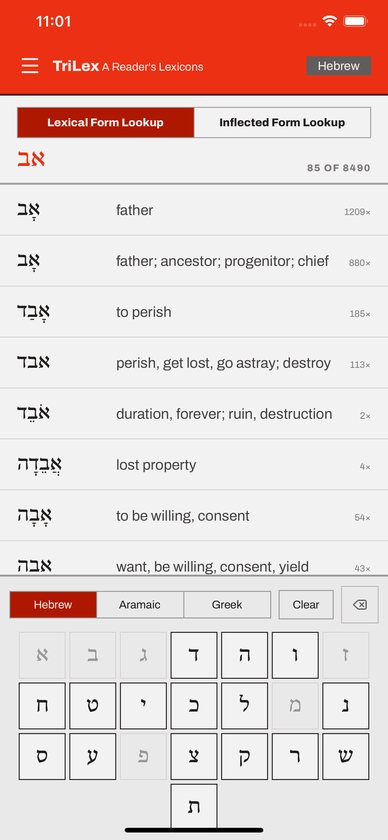
- Top bar. The menu button is on the left. The current language name is on the right; tap it to clear your search.
- Mode tabs. Tapping either tab, even the one already selected, clears the search, so it doubles as a “start over” button.
- Results header. Shows what you’ve typed in large script and a count such as “24 of 8490”.
- Results list. In lexical mode, each row shows the word, its gloss and how often it occurs (for example “12×”). In inflected mode, each row shows the form, an arrow, its most likely lemma, “+1” or more if other lemmas are possible, and how often that exact form occurs.
The keyboard
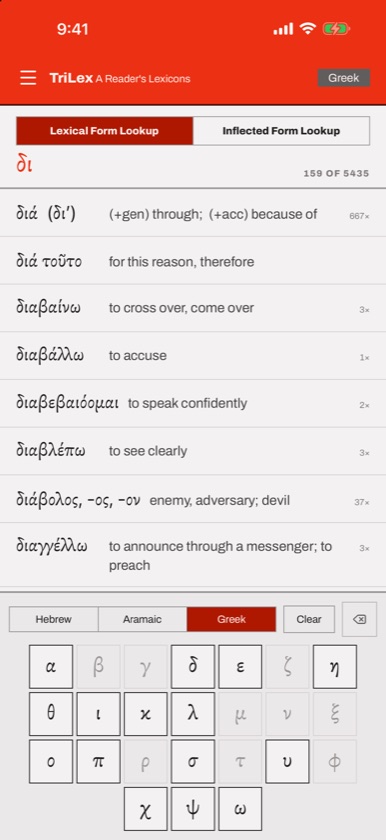
- There is one key per letter: the 22 consonants for Hebrew and Aramaic, which share the square script, and the 24 letters for Greek.
- Type bare letters only. Vowel points, accents and breathing marks are ignored when matching. Greek matching also ignores capitals.
- Final letter forms (ך ם ן ף ץ) are treated as their regular forms, so type the regular letter.
- Keys that can’t continue your search are dimmed and do nothing. If the next letter in your text is dimmed, check the letters you’ve already typed.
- Clear empties the search and the backspace key removes the last letter.
Lexical form lookup
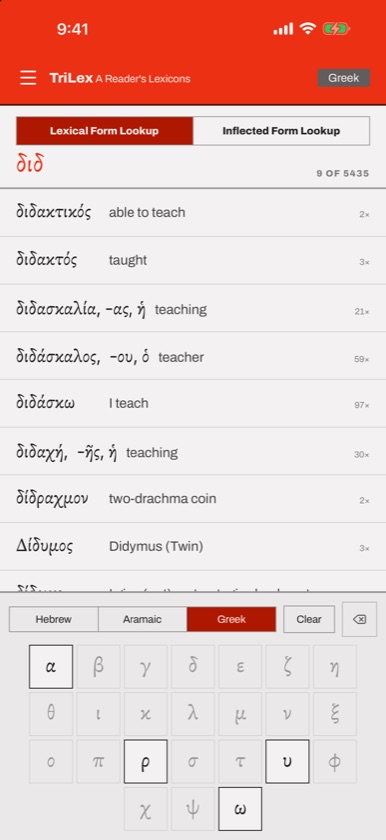
Type the first letters of a dictionary form. Results are in alphabetical order. Use this mode when you already know the lexical form, for example from a vocabulary list or a parsing guide.
Inflected form lookup
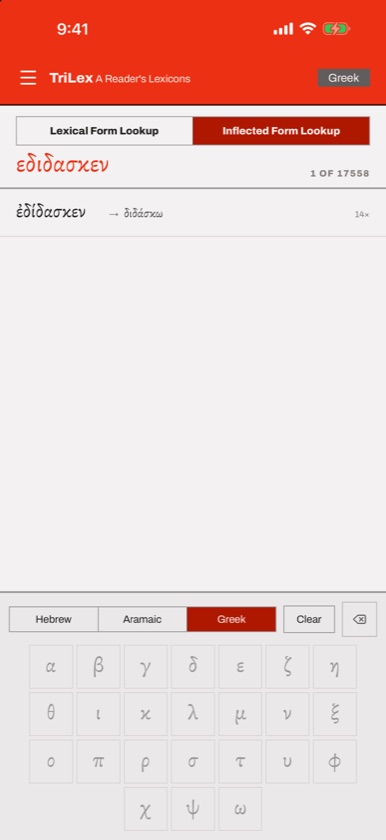
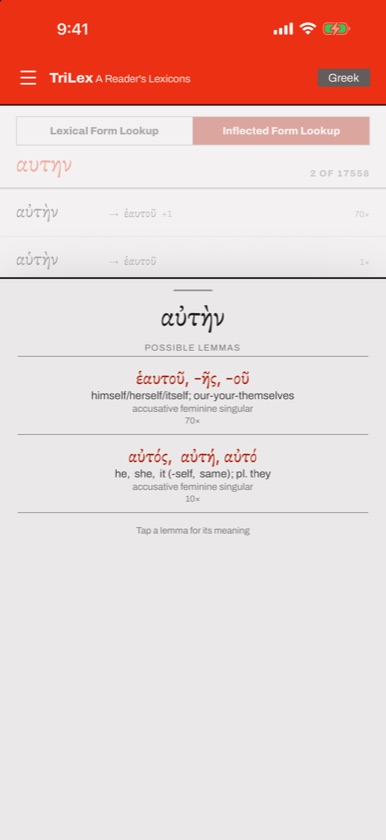
Type the first letters of a word exactly as it appears in your Hebrew Bible or Greek New Testament, prefixes and suffixes included. TriLex searches every form that occurs in the text.
- If the form belongs to only one word, tapping it opens that word’s card with the parsing shown above the headword, for example “verb, qal, qatal, third person masculine singular of”.
- If the form could belong to more than one word, a Possible lemmas sheet lists each option with its gloss, its most common parsing and a count. Tap one to open its card.
- A lemma marked “Not yet in this app’s glossary” doesn’t have a card yet. Please let us know which word it is.
- Opening a word card from an inflected search switches you back to lexical mode.
Hebrew and Aramaic forms come from MACULA Hebrew, based on the Westminster Leningrad Codex. Greek forms come from MACULA Greek, based on the SBL Greek New Testament.
Word cards
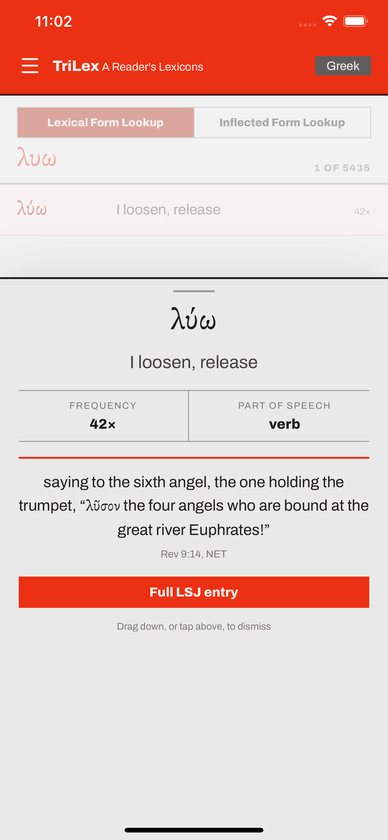
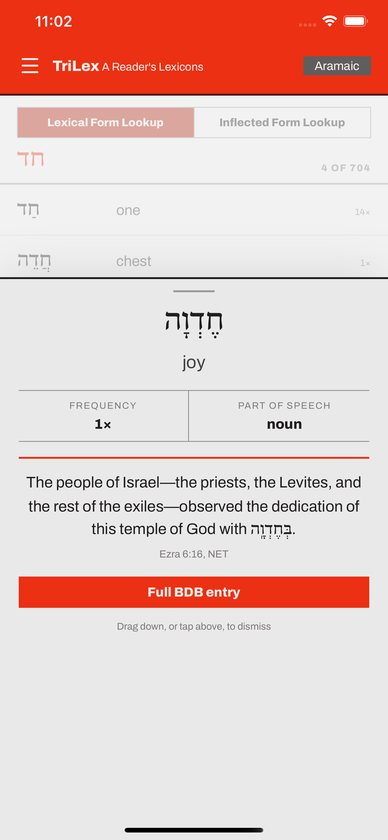
A word card slides up over the lower part of the screen and shows:
- the headword and its gloss;
- Frequency and Part of Speech;
- Characteristics for Hebrew verbs and Root(s) for Greek words, where available;
- an example verse with its reference;
- a Full BDB entry or Full LSJ entry button.
To close a card, drag it down or tap the dimmed area above it.
Full BDB and LSJ entries
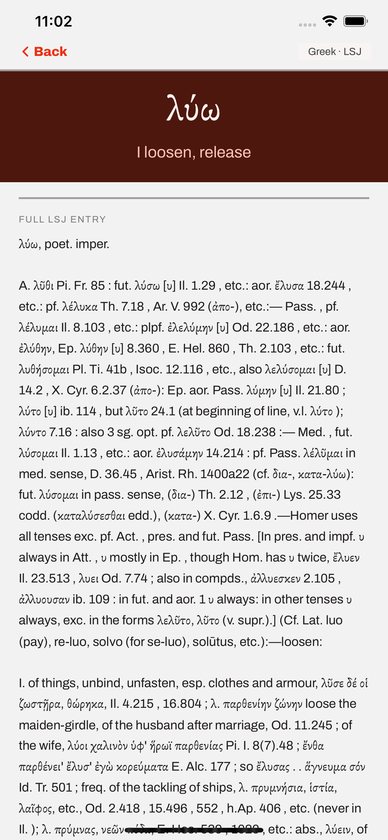
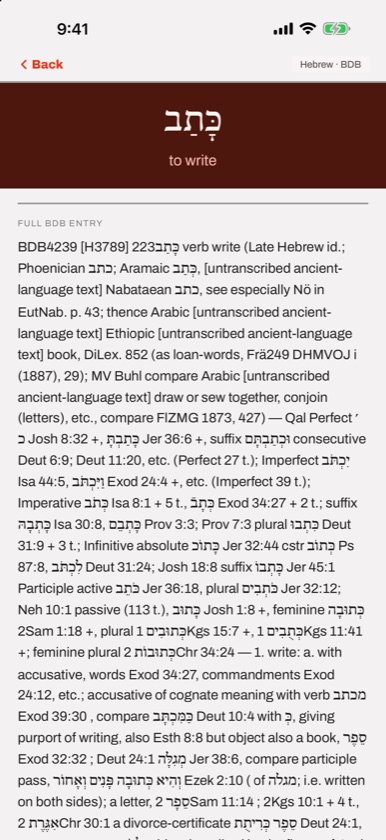
The full entry page shows the complete lexicon article: Brown-Driver-Briggs for Hebrew and Aramaic, Liddell-Scott-Jones for Greek.
- Pinch with two fingers to zoom, and drag with two fingers to move around while zoomed. One finger still scrolls.
- Press and hold to select and copy text.
- Tap Back, or swipe in from the left edge, to return.
Browsing the full lexicons
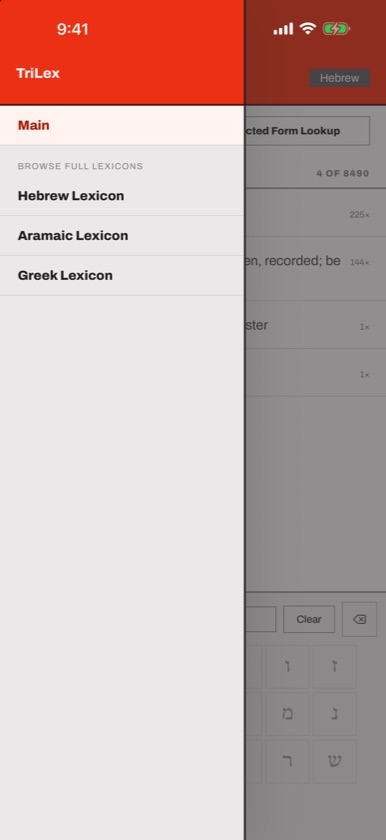
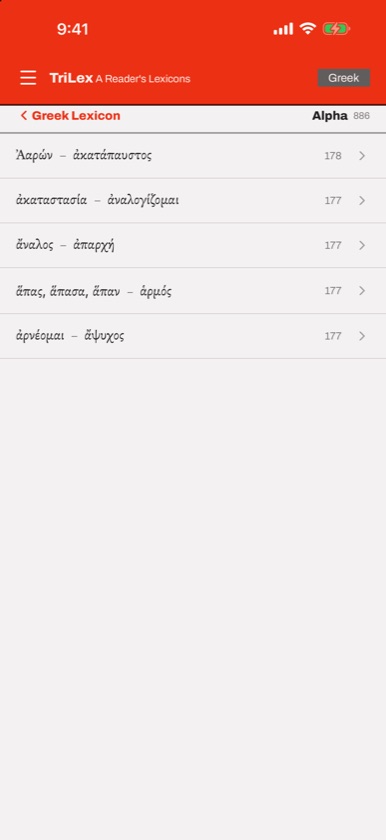
- Tap the menu button at the top left.
- Under Browse Full Lexicons, choose Hebrew Lexicon, Aramaic Lexicon or Greek Lexicon.
- Tap a letter. Each row shows the letter’s name and word count. Large letters are split into sections labelled by their first and last word, like the headers in a printed dictionary.
- Tap any word to open its card.
- Use the back link at the top left to go up a level, or choose Main in the menu to return to the lookup screen.
Buying and installing
TriLex is a one-time purchase. There are no in-app purchases and no subscription, so everything is included from the start. To install it on another device, download it again while signed in with the same Apple ID or Google account. You won’t be charged twice.
Common questions
Do I need an internet connection?
No. All the lexicon and morphology data is inside the app.
Do I need an account?
No. TriLex has no sign-in.
Why can’t I type vowel points or accents?
You don’t need them. TriLex matches on consonants for Hebrew and Aramaic and on bare letters for Greek, so you can look up a word even if you aren’t sure of its pointing or accent.
What’s the difference between lexical and inflected lookup?
Lexical lookup searches dictionary forms, like כָּתַב or λύω. Inflected lookup searches the forms actually printed in the text, like וַיִּכְתֹּב or ἔλυσεν, and tells you which dictionary form each one belongs to.
Why does a form show more than one possible lemma?
Some forms really are ambiguous. αὐτοῦ is usually from αὐτός but is sometimes the adverb “there.” TriLex lists every possibility found in the tagged text, most frequent first, so you can decide from context.
What do numbers like “12×” mean?
How many times the word, or that exact form, occurs in the Hebrew Bible or the Greek New Testament.
Which Greek and Hebrew texts does inflected lookup cover?
Greek forms are from the SBL Greek New Testament. Hebrew and Aramaic forms are from the Westminster Leningrad Codex.
Does TriLex cover the Septuagint or classical Greek?
Inflected lookup covers New Testament forms only. The full LSJ entries come from the great classical lexicon, so they discuss a much wider range of Greek.
Is Biblical Aramaic a separate dictionary?
Aramaic has its own word list, forms and language tab. Its full entries come from the Biblical Aramaic section of BDB.
Does TriLex work on iPad?
Yes. It runs on iPad in either orientation, with larger type and keys.
Troubleshooting
- No results appear. Check that the right language is selected at the bottom and the right mode at the top. A Greek word typed on the Hebrew tab, or a printed form typed in lexical mode, won’t match.
- The word I want isn’t in lexical mode. You may be typing a prefixed or inflected form. Switch to inflected mode.
- A word card won’t close. Drag it firmly downward, or tap the dimmed area above it.
- I’m stuck on a full entry page. Tap Back at the top left, or swipe in from the left edge.
- TriLex doesn’t show up on my new device. Open the App Store or Google Play while signed in with the account you bought it with, and download it again from your purchase history.
- The app crashes. Update to the latest version from the store. Crash reports are sent automatically, but an email describing what you tapped helps the bug get fixed faster.
Still stuck?
Email support@alephtoomega.com with "TriLex" in the subject. It helps to include your device model, its iOS or Android version, and what you were doing when the problem happened.